How to use it
Drag
Drag a file onto the Çark icon on your desktop. Or drag it anywhere while holding Shift.
Drop on a slice
A two-ring wheel opens under the pointer: formats inside, tools outside. Drop the file on the slice you want.
Result next to it
The new file is saved next to the original. The original is never changed.
Çark at work
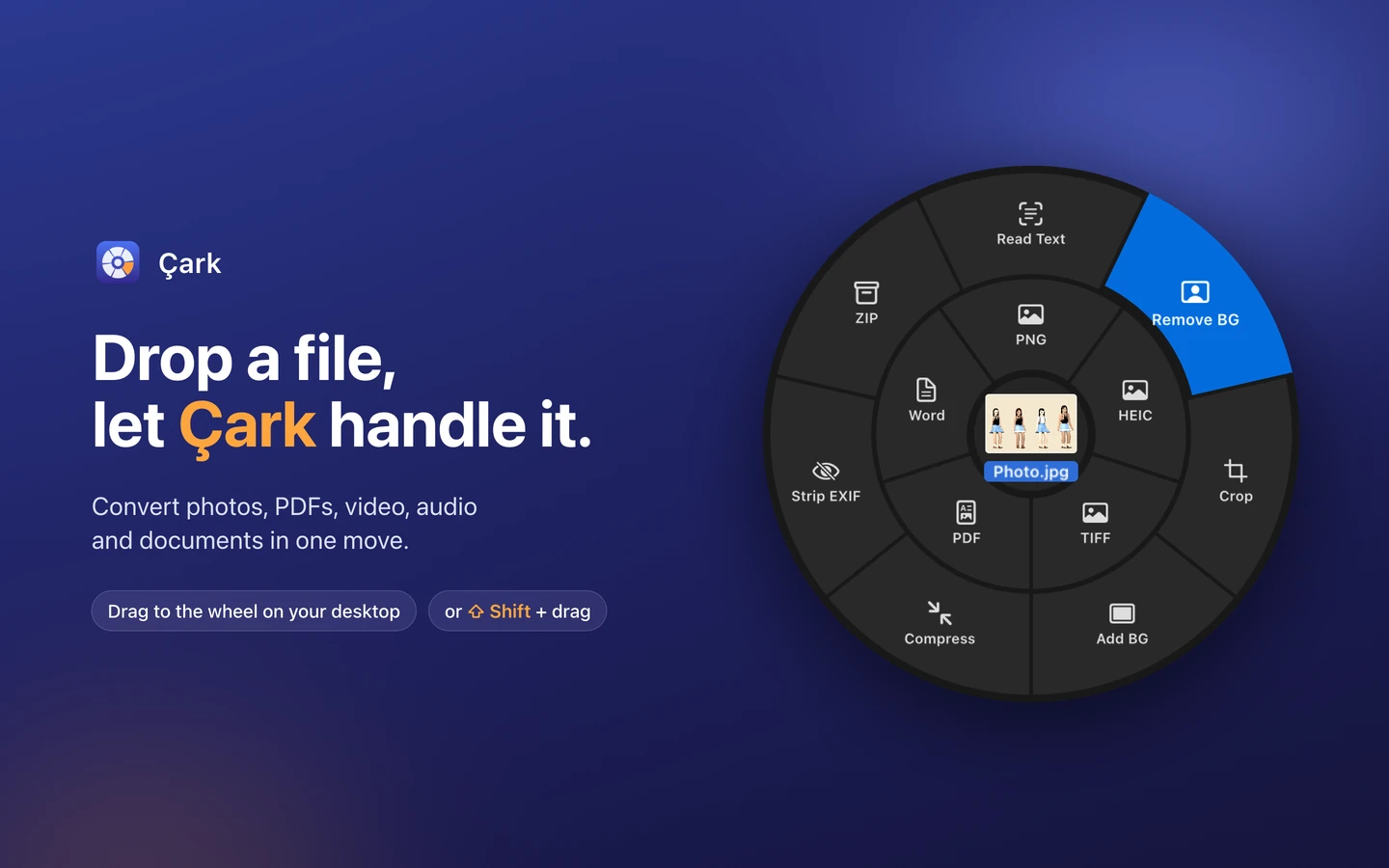
Two rings: formats inside, tools outside 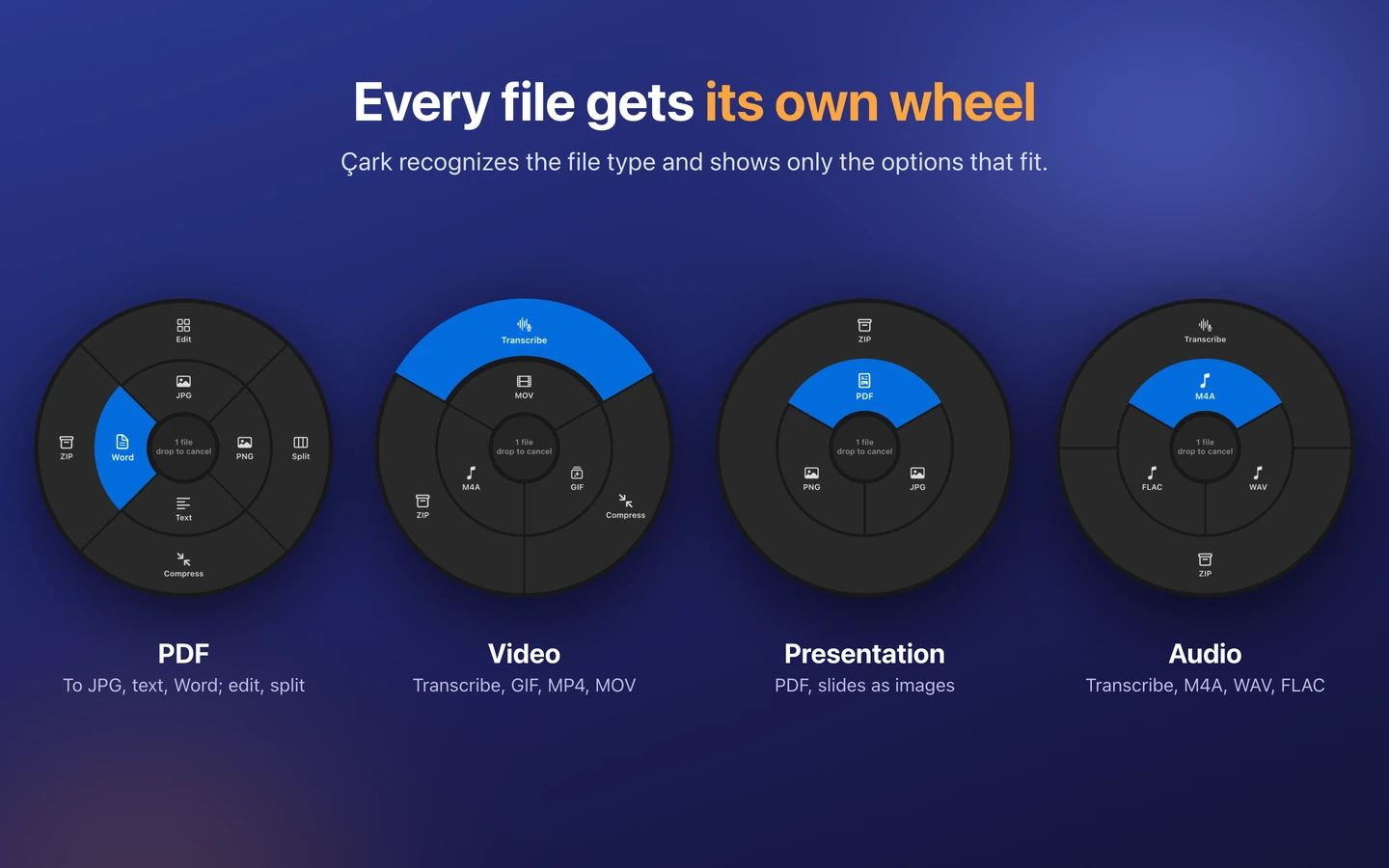
Every file gets its own wheel 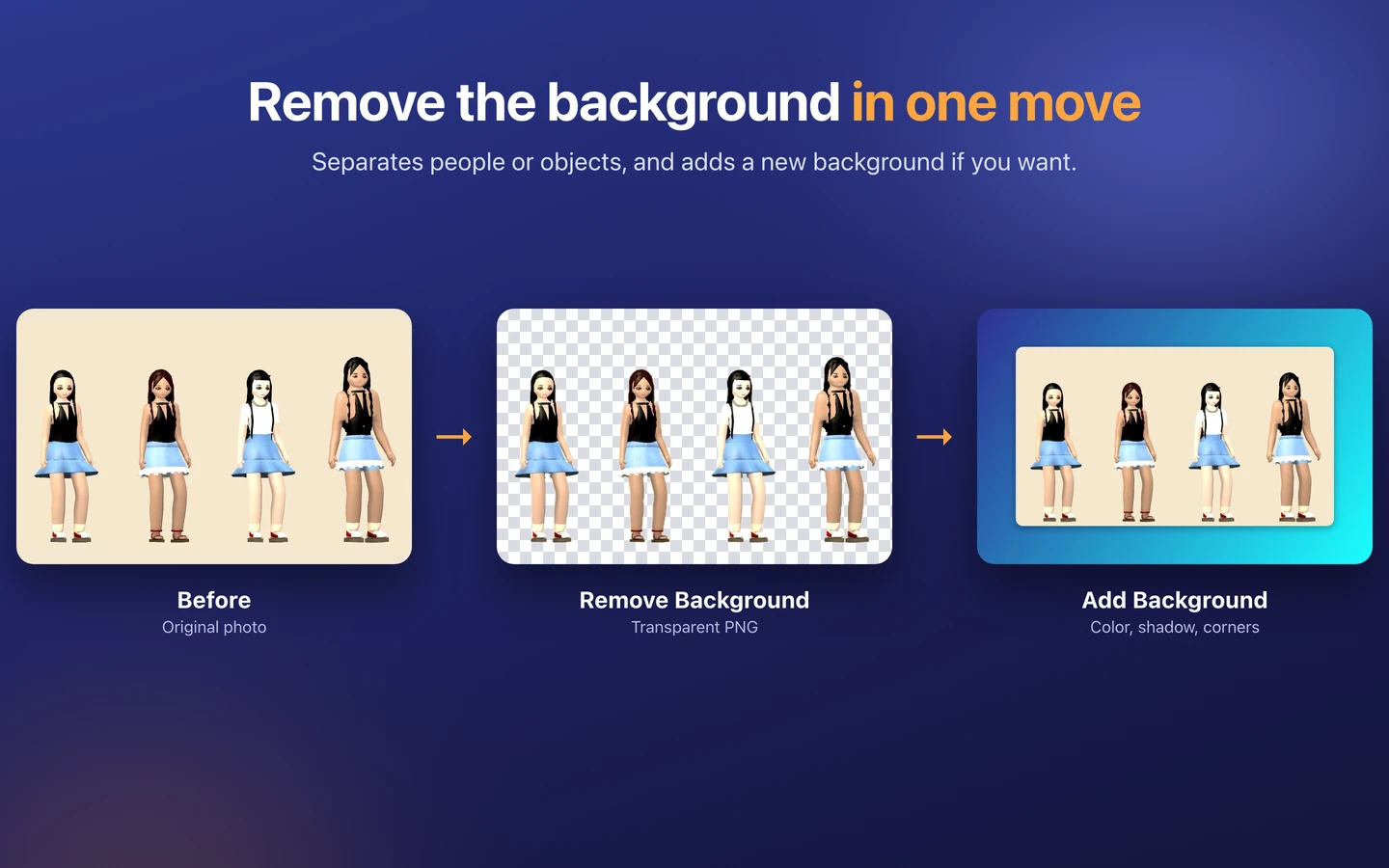
Remove a background in one move 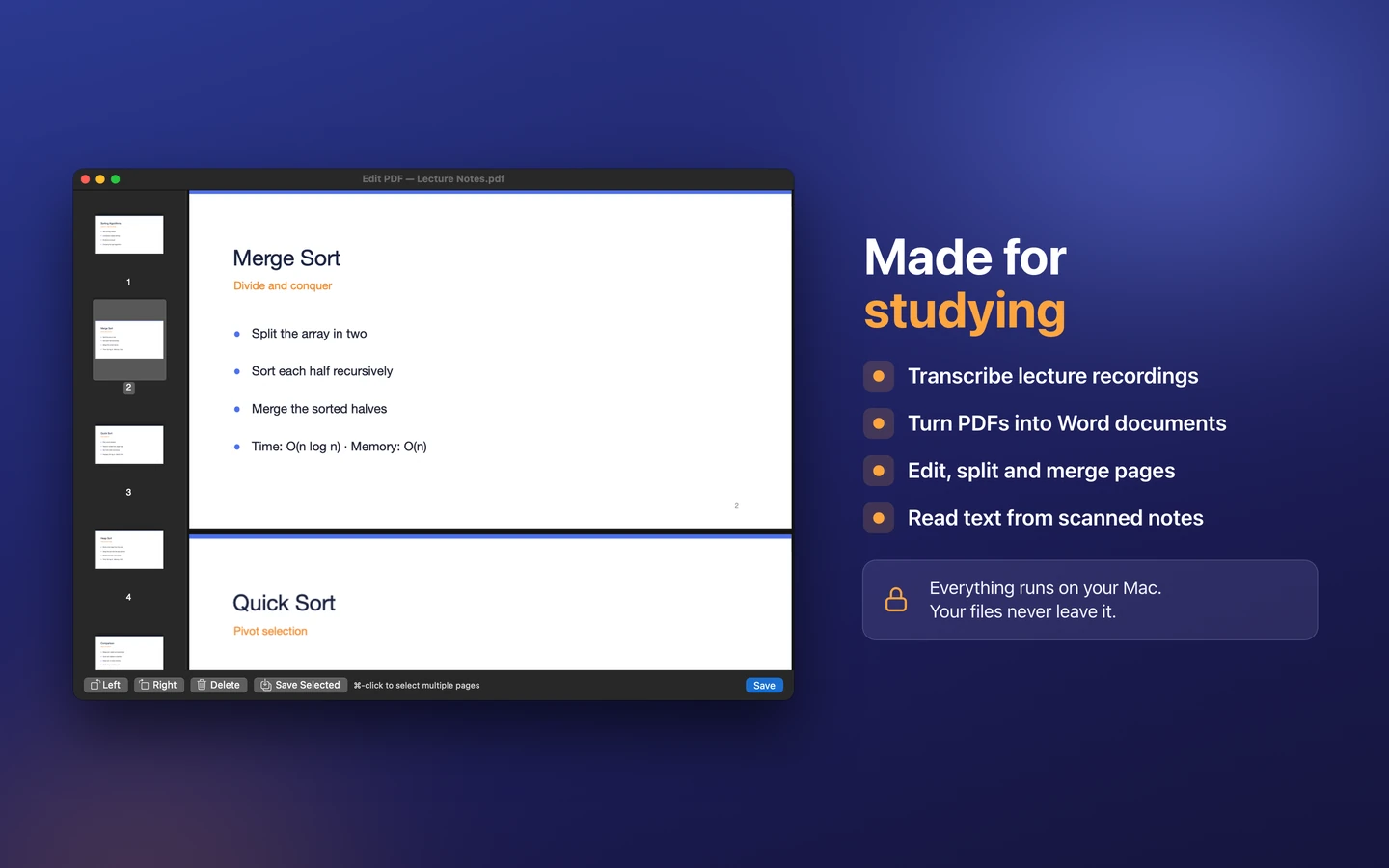
Made for class
Frequently asked questions
Which files does it work with, and what does it do?
Çark looks at the file type and shows only the slices that make sense. Format conversions are on the inner ring, tools on the outer ring. This list is for the Mac App Store version.
Photo JPG, PNG, HEIC, TIFF and other images
Inner ring
- JPG Saves as JPEG.
- PNG Saves as PNG.
- HEIC Saves as HEIC: same picture, smaller file.
- TIFF Saves as lossless TIFF.
- PDF Turns the photo into a PDF.
- Word Converts to a Word document (.docx).
Outer ring
- Read Text Turns the text in the photo into plain text. Turkish and English.
- Remove Background Cuts out the person or object and saves a transparent PNG.
- Crop Crops the photo.
- Add Background Adds a new background: color, shadow, corners.
- Compress Makes the file smaller.
- Strip Metadata Removes hidden details like location and device (EXIF).
- ZIP Puts it in a ZIP archive.
PDF PDF
Inner ring
- JPG Turns pages into JPG images.
- PNG Turns pages into PNG images.
- Text Saves the text inside as a .txt file.
- Word Converts to an editable Word document.
Outer ring
- Edit Rotate or delete pages, save the ones you pick separately.
- Split Splits the pages into separate PDFs.
- Merge Combines the PDFs you drop together into one file.
- Compress Makes the PDF smaller.
- ZIP Puts it in a ZIP archive.
Video MP4, MOV, M4V
Inner ring
- MP4 Saves as MP4.
- MOV Saves as MOV.
- GIF Makes an animated GIF.
- M4A Saves just the audio as M4A.
Outer ring
- Transcribe Turns the speech into text (macOS 26 and later).
- Compress Makes the video smaller.
- ZIP Puts it in a ZIP archive.
Audio MP3, M4A, WAV, FLAC, AAC, AIFF
Inner ring
- M4A Saves as M4A.
- WAV Saves as lossless WAV.
- FLAC Saves as lossless, compressed FLAC.
Outer ring
- Transcribe Turns the speech into text (macOS 26 and later).
- ZIP Puts it in a ZIP archive.
Document DOCX, RTF, ODT, TXT, MD
Inner ring
- PDF Converts to PDF; keeps the page layout if Pages is installed.
- Word Converts to a Word document (.docx).
- Text Saves as plain text (.txt).
Outer ring
- Split Splits the document into parts.
- ZIP Puts it in a ZIP archive.
Presentation PPTX, PPT, KEY, ODP · needs Keynote
Inner ring
- PDF Turns the slides into one PDF.
- JPG Saves each slide as a JPG image.
- PNG Saves each slide as a PNG image.
Outer ring
- ZIP Puts it in a ZIP archive.
ZIP ZIP archive
Outer ring
- Extract Unpacks the archive next to it.
Folder A folder or mixed files
Outer ring
- ZIP Packs everything into one ZIP archive.
Where is the Çark icon?
While Çark is running, a round icon appears in the menu bar. Use "Show on Desktop" to toggle the desktop icon, and "Launch at Login" to start Çark when your Mac starts.
Why does it ask for folder access?
For your security, Mac App Store apps can only write where you allow them to. Because Çark saves the result next to the original file, it asks once for access to that folder. If you choose your Home folder, it won't ask again.
Are my files sent anywhere?
No. Everything happens on your Mac. See the privacy policy for details.
Can I drop several files at once?
Yes, you can drag several files together. For PDFs, Merge turns them into one PDF; ZIP packs them all into one archive. If you drop a folder or mixed files, the wheel shows ZIP.
Which macOS do I need?
macOS 14 Sonoma or later. Only "Transcribe" needs macOS 26.
Why does Word → PDF want to use Pages?
To keep images, tables and page layout intact, Çark uses Pages (Keynote for presentations) if it is installed. macOS asks for permission the first time; choose "Allow". Without Pages, text and formatting are converted.
Text recognition made mistakes
Text recognition reads Turkish and English. It can make mistakes on very small or dense text, so please review the result for important documents.
"Transcribe" doesn't work
Speech transcription works on macOS 26 and later. On first use, downloading macOS's speech model may take a moment.
Contact
Found a bug, or thought of a new slice? Write to us. Including your Mac model, macOS version and the file type you had trouble with helps us respond faster.
iletisim@favradar.com